3.0 Data Representation
In a computer, data representation is how information is stored. It differs depending on what you want to store; for example, the method used to store integers is different from the method used to store floating-point numbers and strings.
Different bases are used here (binary, decimal, hex) to represent a number. Ex:
19 = 19 (10) = 13 (16) = 0x13
3.1 Integer Representation
The computer represents numbers in binary (1s and 0s). A number or variable can be stored in a limited amount of space provided by the computer. This directly impacts the size or range of numbers that can be represented.
Ex:1 byte (8 bits) can represent 2^8, or 256, different numbers.
These 256 numbers (0-255) can be unsigned (all positive).
The signed range is (-128 to +127).
So if a number that we want to represent need more space to be represented a larger size must be used. Like :
- A
word16-bits for 65.536 (0 - 65.535) for signed and (-32.768 - 32.767) for unsigned value - A
double-word32-bits for 4.294.967.296 (0 - 4.294.967.295) for signed and (-2.147.483.648 to +2.147,483,647) for unsigned value
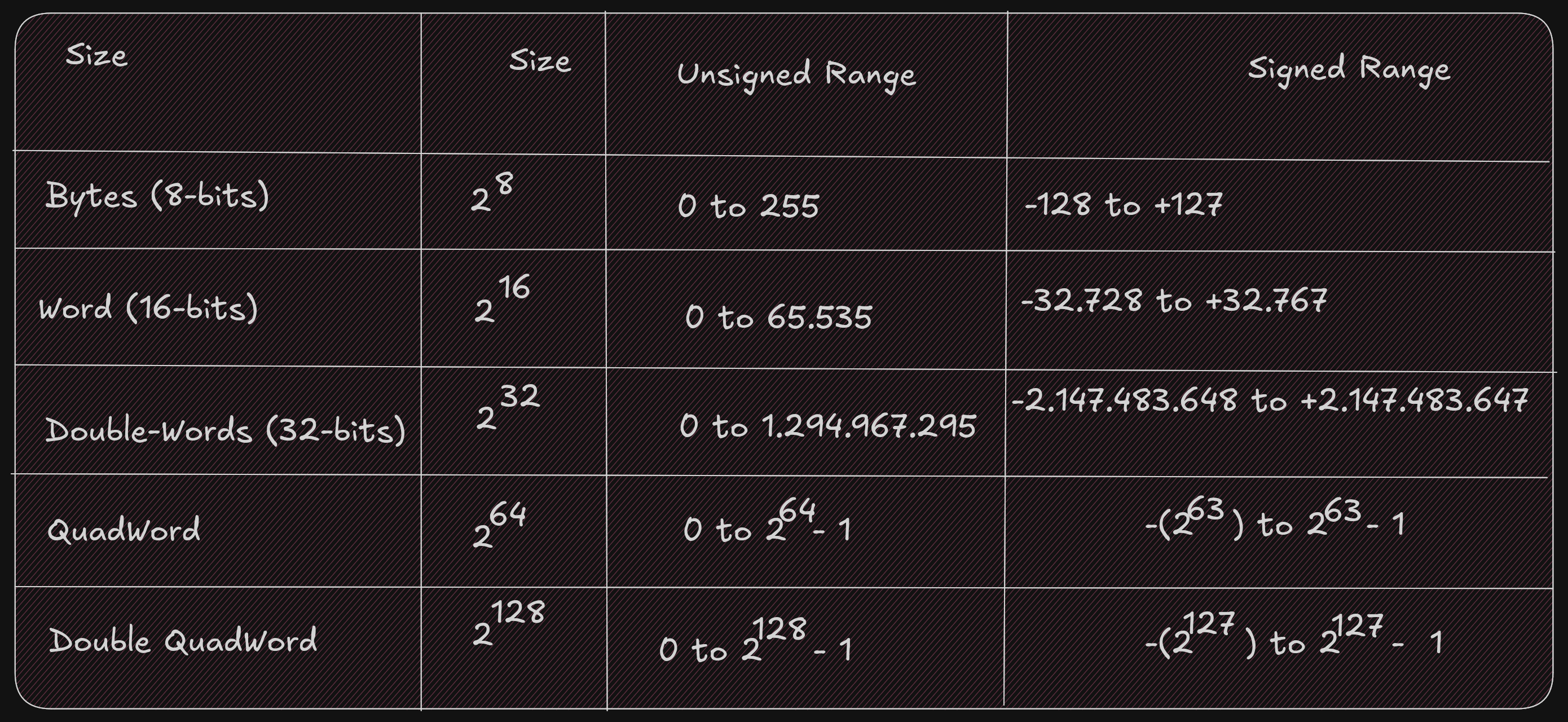
It is important to know whether a value can be represented; you need to know the size of the storage element (byte, word, double-word, quadword) being used and whether the values are signed or not. Signed values use a standard binary representation. Unsigned values use a two’s complement representation.
For example, the unsigned byte range can be represented using a number line as follows:

For example, the signed byte range can be represented using a number line as follows:

When we examine a binary file with a debugger, it is difficult to know whether a variable in memory is signed or not because unsigned values have a different, positive-only range than signed values.
For example, when the unsigned and signed values are within the overlapping positive range (0 to +127):
- A signed byte representation of 12 (10) is 0x0C (16)
- An unsigned byte representation of 12 (10) is also 0x0C (16)
When the unsigned and signed values are outside the overlapping range:
- A signed byte representation of -15 (10) is 0xF1 (16)
- An unsigned byte representation of 241 (10) is also 0xF1 (16)
Note: if your number contains a group of 4 bits (1111), that is 15 in decimal.
Two’s Complement
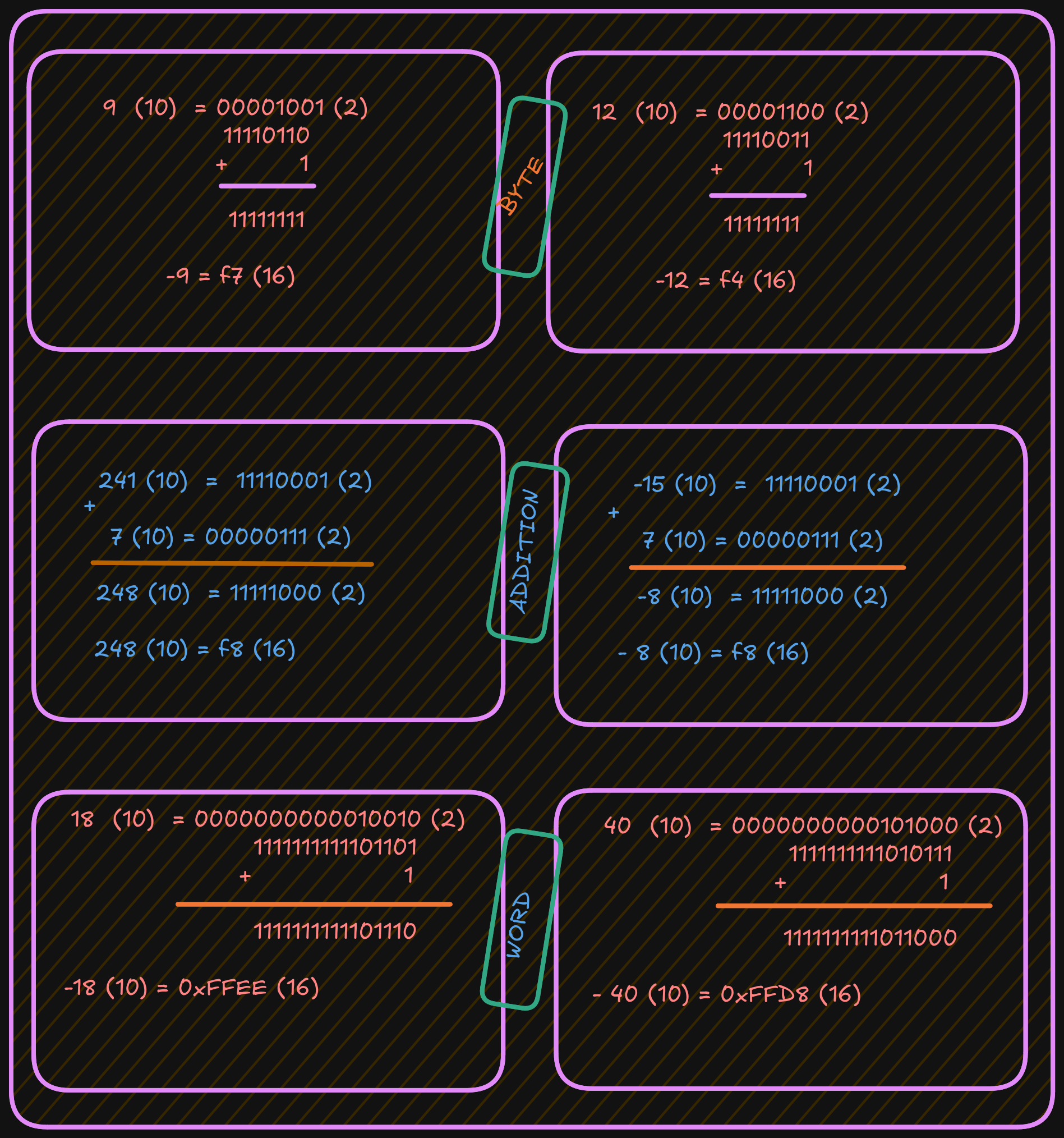
To find a two’s-complement representation for negative values:
- Take the one’s complement (negate all bits).
- Add
1(binary addition).
For example, to represent -9:
- Start with the positive value
9. - Convert it to binary.
- Invert all bits (change
1to0and0to1). - Add
1.
See the example below:
3.3 Floating-point Representation
The representation of floating-point numbers differs by format. The representation shown here is IEEE 754 32-bit floating-point

Where s is the sign (0 => positive and 1 => negat*ive). More formally, this can be written as;
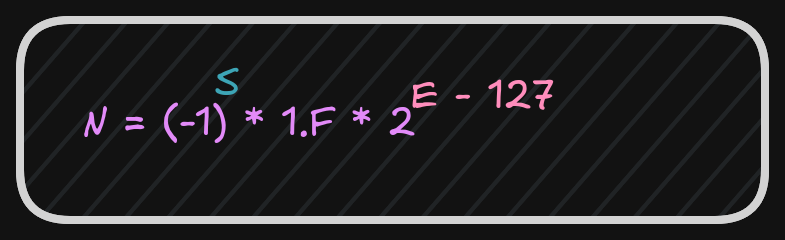
After these calculations, the next step is to calculate the biased exponent, which is the exponent from the normalized scientific notation plus the bias.

The value for the IEEE 32-bit floating-point standard is 127, and
the result should be converted to 8 bits (1 byte) and stored in the biased exponent portion of the word.
A 64-bit floating-point standard representation is the same as 32-bit,
however the format allows an 11-bit biased exponent with a bias of 1023
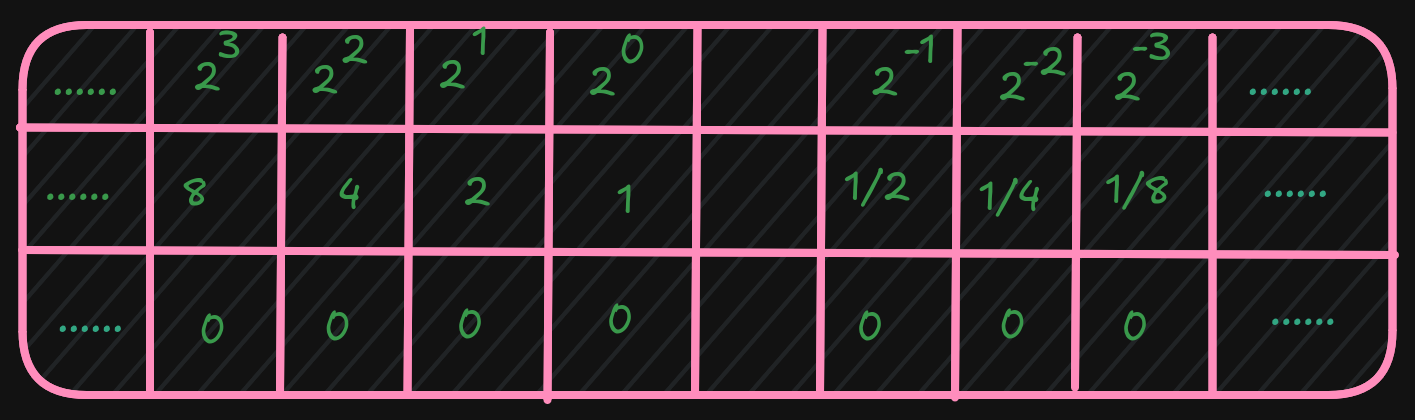
It is possible that when a value is interpreted as floating-point and it does not conform to the standard (either 32-bit or 64-bit), then it cannot be used as a floating-point value. This can occur if an integer representation is mistakenly interpreted as a floating-point value, or when a floating-point arithmetic operation (add, subtract, multiply, divide) produces a value that is too large or too small to represent.
An incorrect format or an unrepresentable value is referred to as NaN (Not a Number).
3.4 Characters and strings
Computer memory is designed to store and retrieve numbers.
So symbols (non-numeric data like characters) are assigned numeric values.
This is the functionality of the ASCII (American Standard Code for Information Interchange) table.
For example, the “A” character has the value “65” in decimal and “0x41” in hexadecimal.
It is important to distinguish between the “2” character and the integer 2.
Unicode is an improvement over ASCII because it supports many languages.
A string is a series of ASCII characters terminated with NULL (a non-printable ASCII character).
It is used to mark the end of strings.
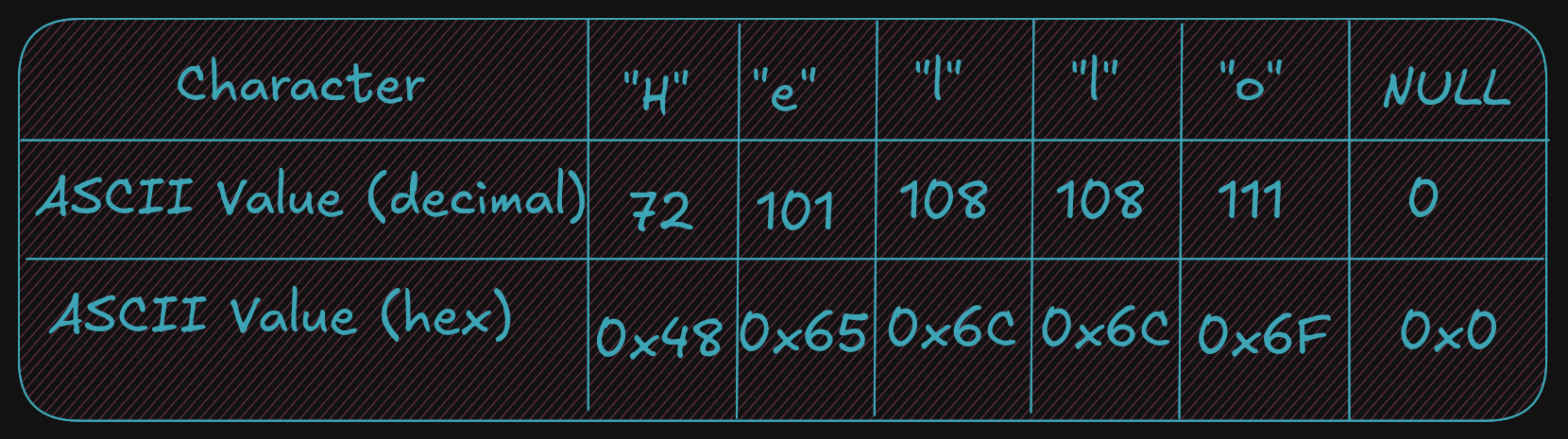
And, as described, strings can contain numeric symbols, but they are not considered numeric numbers. A char uses 1 byte, so each character represents one byte plus a NULL character. An integer uses a minimum of 2 bytes.
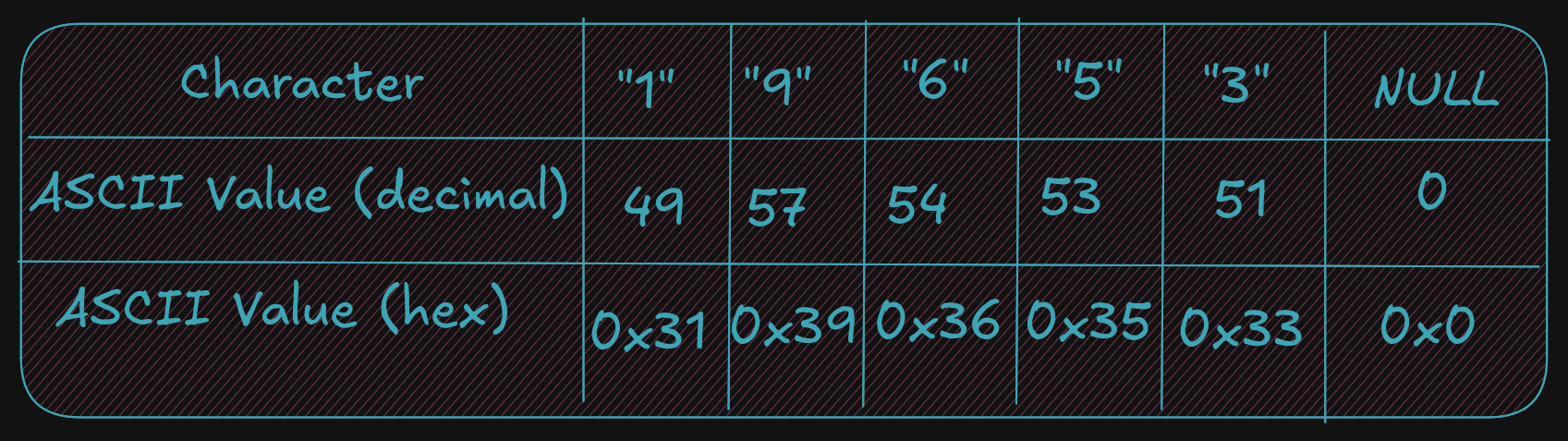
Again, it is very important to understand the difference between the string 19653 (using 6 bytes) and the single integer 19,65310 (which can be stored in a single word which is 2 bytes).